Most AI powered fitness apps still work the way apps worked ten years ago: you open one, you tap around, you close it. The "AI" part is a chatbot bolted onto the home screen, waiting for you to remember it's there.
That's not what talking to your training data actually looks like. The better version of this category doesn't live inside another app icon at all. It lives inside Claude, ChatGPT, or Gemini, the assistant you probably already have open, and it answers questions using your real workouts, your real meals, and your real leaderboard instead of guessing from a generic prompt.
Kontest MCP (thekontest.com/mcp) is our attempt at that better version, full disclosure since this article is about to spend a lot of time on it. Here's the category shift underneath it, ten real prompts that work today, and an honest look at what else is actually using AI well.
Three generations of fitness apps (log, coach, converse)
Fitness apps have moved through three generations, and most of them are still stuck in the first one.
Generation one is the logger. You enter your sets, your reps, your calories, and the app hands back a chart. Hevy and Strong live here, and they're good at it, but the app doesn't know anything you didn't type in, and it has no opinion on what you should do next.
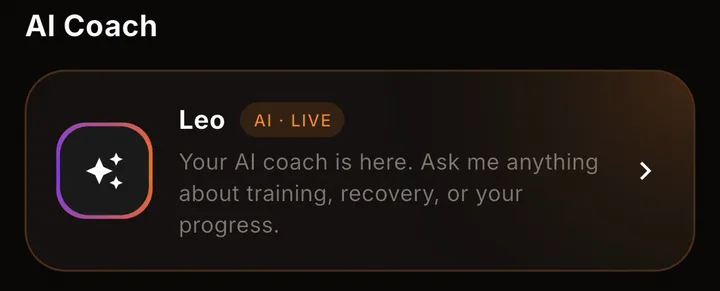
Generation two is the coach. The app studies what you logged and starts making decisions for you: build tomorrow's workout, adjust next week's block, suggest a meal. Fitbod's auto-programming lives here, and so does Kontest's own in-app coach, Leo, who builds personalized plans and answers questions about training and recovery around the clock. It's a real step up from a logger, but you're still boxed into whichever app the coach happens to live in.
Generation three is the conversation. Instead of a coaching feature bolted onto one app, your training data becomes something any AI assistant can read and act on, the same assistant you already use for email, for planning, for everything else. You ask a question in plain English and the answer comes from your actual numbers. That's what Kontest MCP does, and it's the generation the rest of this article is about.
What AI-powered fitness apps get wrong (chatbots trapped inside apps)
The gap in most AI powered fitness apps isn't the AI. It's where the AI lives.
A chatbot bolted onto a logging app can only see what that one app already has. Ask it about your macros and it has no idea what you ate for lunch if you logged that meal somewhere else. Ask it to plan next week and it can't see the 5K on your calendar. It's smart in a box, and the box is small.
The other common failure is genericness. Point any general AI assistant at "build me a workout plan" with zero context and you'll get a plausible-looking program that has nothing to do with your actual squat, your actual schedule, or the fact that your shoulder has been cranky for three weeks. We covered exactly this gap in how to actually prompt an AI for a program that fits you, and the short version holds up here too: a generic AI plan is a fine first draft and a bad final answer, because the AI never had your data to begin with.
Both problems trace back to the same root cause. The AI is disconnected from your real training, either because it's trapped inside one app's walls or because nobody gave it your numbers in the first place. Fix that connection and the AI stops guessing.
Talk to your data instead: what Kontest MCP is
Kontest MCP (thekontest.com/mcp) is a live, permissioned connection between your Kontest account and the assistant you already use, Claude, ChatGPT, or Gemini. Paste one URL, sign in the same way you sign in to the Kontest app, and your assistant can see your workouts, your nutrition, your kontests, and your profile without you opening a second app.
It runs on MCP (Model Context Protocol), an open standard for letting an AI assistant talk to an outside service. There's no API key to generate, store, or accidentally leave sitting in a config file. You sign in with your Kontest email and password, or with Apple, and that's the whole setup.
Here's the part worth being precise about: it's 27 tools spanning your training log, your nutrition and recovery data, your kontests and friends, and your profile and settings, and it can both read and write. Your assistant can pull your bench press history in one breath and log the session you just finished in the next. Anything that changes something (logging a workout, joining a kontest, setting a macro target) asks for your permission first, in the conversation, before it happens.
That's the real shift. Not a chatbot that lives inside the Kontest app and only knows Kontest things. An assistant that already knows how you think, that now also knows your last dozen workouts, your current PR on every lift, and who's ahead of you in your kontest this week.
10 real prompts to try
These aren't hypothetical examples written for a blog post. Every one below maps to a real Kontest MCP tool, and you can ask any of them the moment you're connected.
- "Am I actually progressing on bench, or does it just feel that way?": pulls your current PR and your recent workout history and compares them.
- "What did I eat yesterday, and where does that leave me for today?": reads your logged meals and checks them against your macro targets.
- "Who's winning my kontest right now?": pulls the live leaderboard and rules for whichever kontest you name.
- "How much leg volume have I actually done this month?": breaks down your training by muscle group over the window you ask for.
- "Log today's workout: squat, five sets of five at 275, then tell me how my leg volume looks now.": logs the session and follows it with the same muscle-focus breakdown, in one request.
- "What's my deadlift PR this year, and how far off am I right now?": compares your best lift to your most recent working sets.
- "Start a two-week kontest with my usual training partners, five workouts a week.": pulls your friends list and creates the challenge.
- "Which muscle groups have I been neglecting for the last 30 days?": the same muscle-focus tool, aimed at your weak spots instead of a strength.
- "I had eggs, oatmeal, and a protein shake this morning. What does that leave me for the rest of the day?": logs the meal and checks it against today's targets in the same answer.
- "Suggest something for dinner that fits whatever I have left today.": proposes a meal from your remaining macros without logging anything until you say so.
Notice that most of these are questions, not commands. That's on purpose. The point of Kontest MCP isn't to replace logging in the app, it's to make your data answer back when you ask it something.
Setup in 3 minutes (Claude, ChatGPT, Gemini)
Each client takes about a minute once you have the server URL copied: https://mcp.thekontest.com/mcp. Set up the one you actually use, or all three back to back.
Claude: Open Settings, go to Connectors, and choose Add custom connector. Name it kontest, paste the URL, and leave the OAuth fields blank (kontest doesn't need them). Press Add, then Connect. A browser window opens on kontest, you sign in the way you always do, and you approve the access it lists.
ChatGPT: Open Settings, then Connectors, and turn on developer mode under Advanced (this is what lets ChatGPT take a custom server). Go back to Connectors and choose Create, name it kontest, paste the URL, and leave authentication on OAuth. Confirm you trust the provider and sign in to kontest in the window that opens. Custom connectors are a paid ChatGPT plan feature, so check your plan if you don't see the option.
Gemini: Open Settings and help, then Connected apps (look under Personal intelligence if you don't see it right away). Choose Add a custom app, paste the URL, and sign in to kontest when the browser window opens. Custom apps are rolling out gradually by region on personal Google accounts.
Every path ends the same way: you sign in once, and every future question comes from inside the chat you're already having.
Privacy: what you're actually giving access to
Worth being straight about this instead of writing around it: the Kontest MCP connection is not read-only. It's read and write. Your assistant can pull your history, and it can also log a workout, log a meal, set your macro targets, or create and join a kontest, on your behalf.
Here's what actually protects you:
- You sign in, not a key. No API key to paste into a config file or leave sitting somewhere it shouldn't be. Access is tied to your Kontest login, the same one you use in the app.
- Every write asks first. Logging a workout or joining a kontest happens because you said yes, in that conversation. Nothing changes silently in the background.
- It's scoped to your account. Your assistant sees your data and your existing Kontest privacy settings, never anyone else's.
- Repeat logs get deduplicated. If a retry sends the same session twice, it won't double-count.
- You can revoke it in one move. Remove the connector in your client's settings, or switch it off for a single conversation, and access ends immediately either way.
If read-only was the deciding factor for you, this isn't that, and it's better you know it going in than find out mid-conversation.
The honest list: other AI fitness tools worth knowing
Kontest MCP isn't the only place AI is doing real work in fitness. Here's a straight look at four more, checked against what each one actually offers this week.
WHOOP Coach is a chat-based AI advisor built into the WHOOP wearable app, powered by OpenAI. It answers questions about your recovery, strain, sleep, and HRV using your own biometric history, and it gets more useful the more behaviors you log. You need a WHOOP membership to use it, currently $199 to $359 a year depending on tier, and that price includes the wearable itself. It's the closest thing to a "converse" generation tool that already existed, just scoped to what a wrist strap can measure rather than your full training log.
Fitbod is generation two, not three: it auto-builds your workout from your equipment and recent training, and it's genuinely good at that one job. It runs $15.99 a month or $95.99 a year per its own pricing page. We cover it, and eleven other apps, in our full workout apps roundup.
Future pairs a real human coach with an app, and the "AI" here mostly handles logistics (matching you to a trainer, tracking whether you showed up) rather than anything you chat with directly. It's $199 a month after a discounted first month, straight from Future's own site. Different category entirely: you're paying for a person's attention, not a model.
Freeletics runs an AI Coach that adapts bodyweight and HIIT programming to your schedule, equipment, and stated goals, and adjusts as you go. It doesn't publish pricing on its marketing site, you see plans once you've set up a profile in the app, so budget a few minutes to compare before you commit to anything.
None of these do what Kontest MCP does, put your data inside the assistant you already have open, because none of them are trying to. They're solving adjacent problems: recovery insight, workout generation, human coaching, adaptive programming. Worth knowing about, worth using alongside something else, not really competing with what this article is about.
That's the real dividing line among AI powered fitness apps in 2026: whether the AI lives inside a chatbot bolted onto an app, or whether your actual training data is available inside the assistant you already trust with everything else. Connect once, and every future question about your training gets a real answer instead of a guess.
FAQ
What's the best free AI workout app? If you already use Claude, ChatGPT, or Gemini, Kontest MCP costs nothing extra: it's included with a free Kontest account. If you'd rather have a dedicated app instead of a connection, Fitbod's free trial and the fully-free Nike Training Club are worth a look, though neither one talks back to your training data the way an MCP connection does.
Is an AI personal trainer actually worth paying for? Depends what you're buying. A free in-app coach like Leo covers programming and 24/7 questions at no extra cost. A wearable-based advisor like WHOOP Coach adds real biometric context for $199 to $359 a year, membership included. A human coach through Future runs $199 a month for actual accountability from a person. None of them replace training, they just change how much guessing you have to do between sessions.
Can AI actually read my real fitness data, or is it just guessing? Both exist, and the difference matters. A general AI assistant with no connection is guessing from whatever you type into that one message. An MCP connection like Kontest's gives the assistant your actual logged workouts, meals, and PRs to answer from, which is the difference between "here's a plausible plan" and "here's what your last twelve sessions actually show."
Is there one AI tool that tracks my weight, my meals, and my lifts together? That's close to what Kontest MCP is built for: one connection that covers your training log, your nutrition, your recovery notes, and your competitions, all queryable from the same assistant. You still log in the app, the AI layer is for asking questions and taking action on what's already there, not a separate tracker to maintain.
Do I need to be technical to set any of this up? No. Every setup step above is copy a URL, paste it into a settings screen, and sign in with your normal account. Nothing to install, nothing to configure, no code involved in any of the three.
Connect your Kontest account to Claude, ChatGPT, or Gemini in about a minute at thekontest.com/mcp, or start free first if you don't have a Kontest account yet.